Same player. Different day. Different plan.
Every morning starts with a short check-in. The plan reads it, along with your team's schedule, before it picks a single drill.
- Check inSleep, soreness and stress. A few taps.
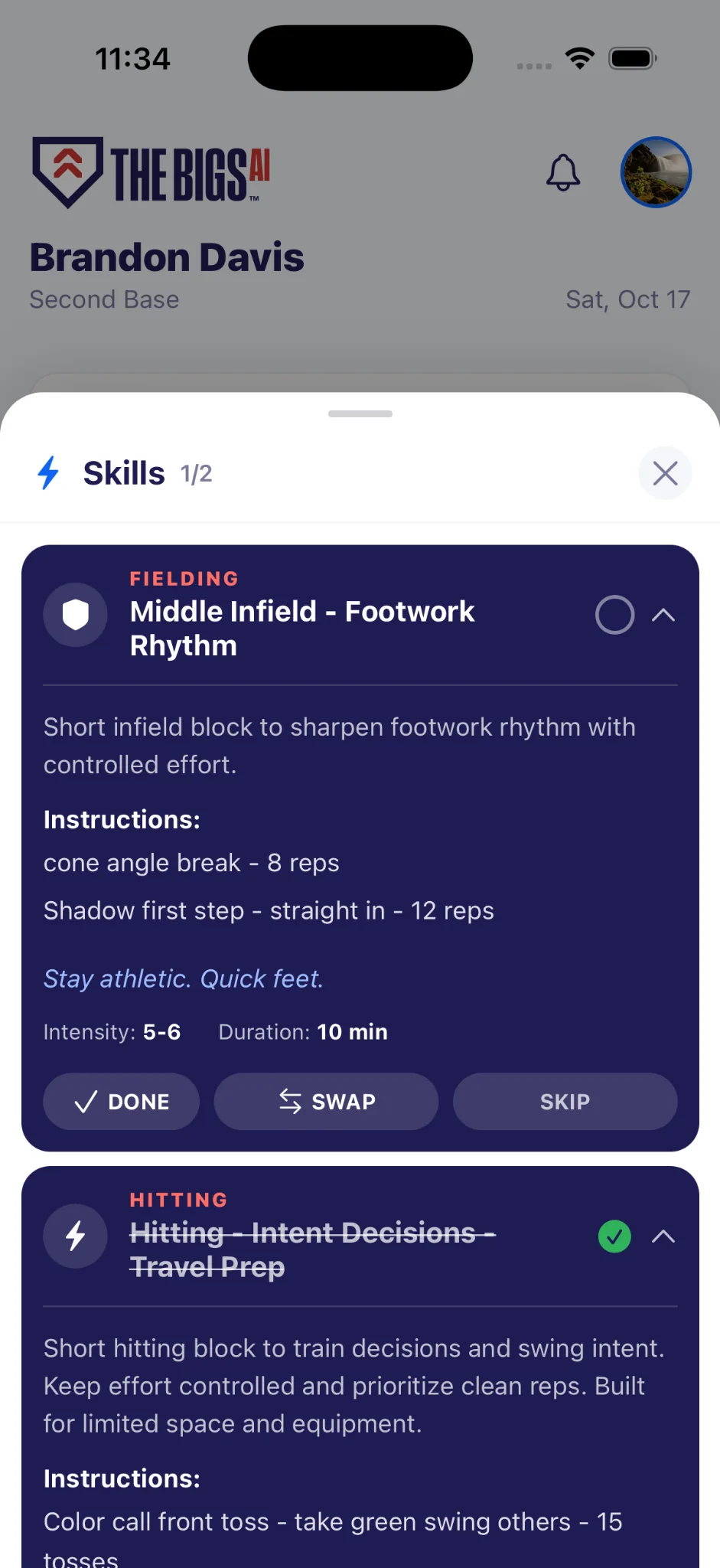
- TrainSix blocks, each with steps, one cue and a target effort.
- Log itRate your effort from 1 to 10 when you finish a block; hitting adds an approach score. Your day score and streak build from there.
Example player: 16, second base, in season, on a team.
Morning check-in
Today's plan Locked-In
- HittingApproach and effort loggedFull range
- DefenseSecond base: middle infield workFull range
- Strength & speed ×3Three different kinds, nothing from the last 7 daysFull range
- MindsetOne routine. It doesn't swap.Every day
Drills for where you play.
Hitting every day for everyone. Defense routed to your primary position, at your age group's level.
Three age groups
Close to the next age group with three or more years of training? On your best days, up to two blocks can come from the next level.
Stay athletic. Quick feet.
Eat like it's game day.
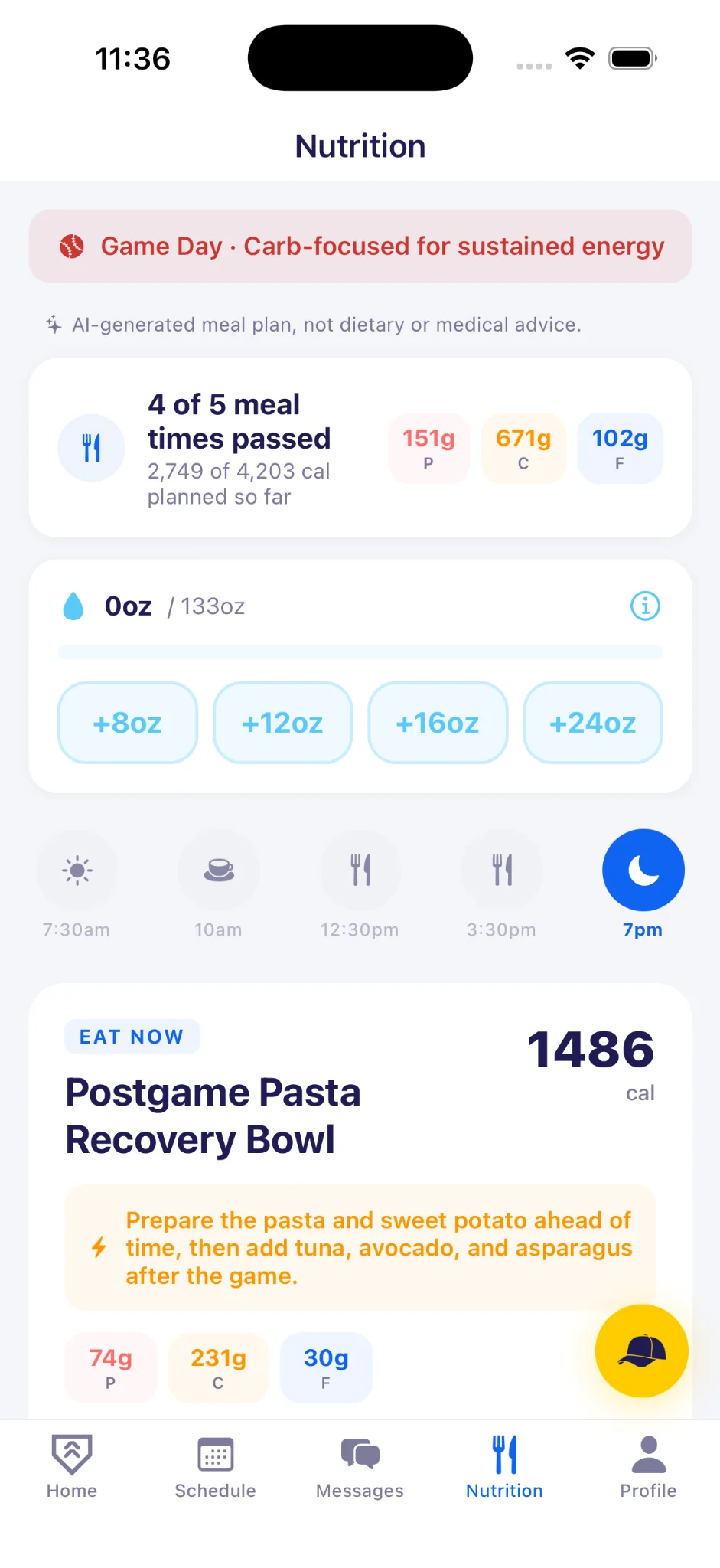
Meals and hydration planned around your schedule, your body and this morning's check-in.
- Five meals timed to your day, from breakfast to the evening meal.
- Carb-focused on game days for energy that lasts to the last out.
- A water target from your weight and schedule. Tap to log.
- Everyday portions like cups, slices and ounces.
- Allergies and diets respected, from gluten-free to vegetarian.
- Don't like a meal? Try another. Save the ones you love.
AI-generated meal plan, not dietary or medical advice.
Know who's ready before first pitch.
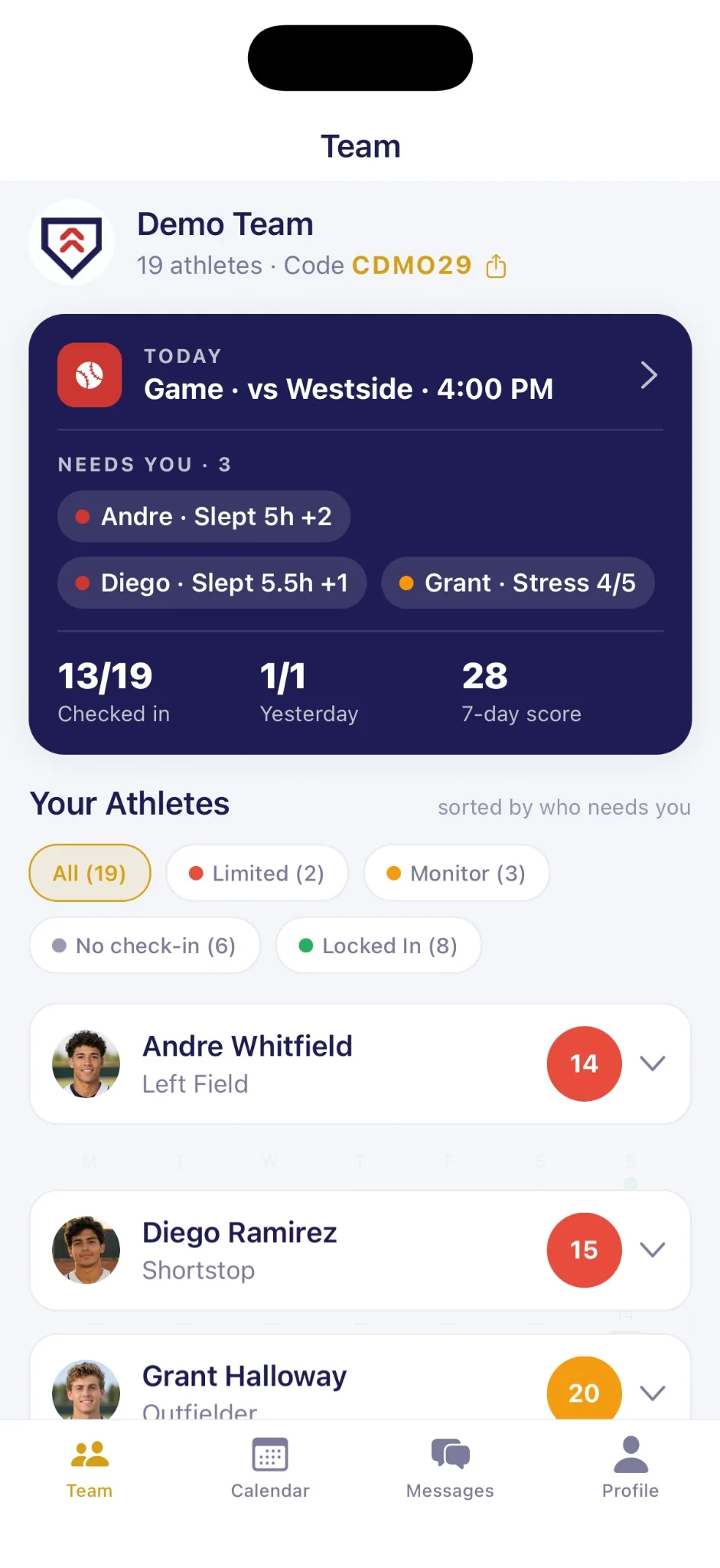
Every athlete's check-in, readiness and completed work in one view. The players who need you rise to the top.
- Short sleep, high stress and missing check-ins go to the top of your roster.
- Check-ins, yesterday's work and a 7-day team score at a glance.
- Add a game to the calendar and every player's plan gets lighter the day before and the day of.
- Assign a team workout: mobility, rotation, speed, power or strength.
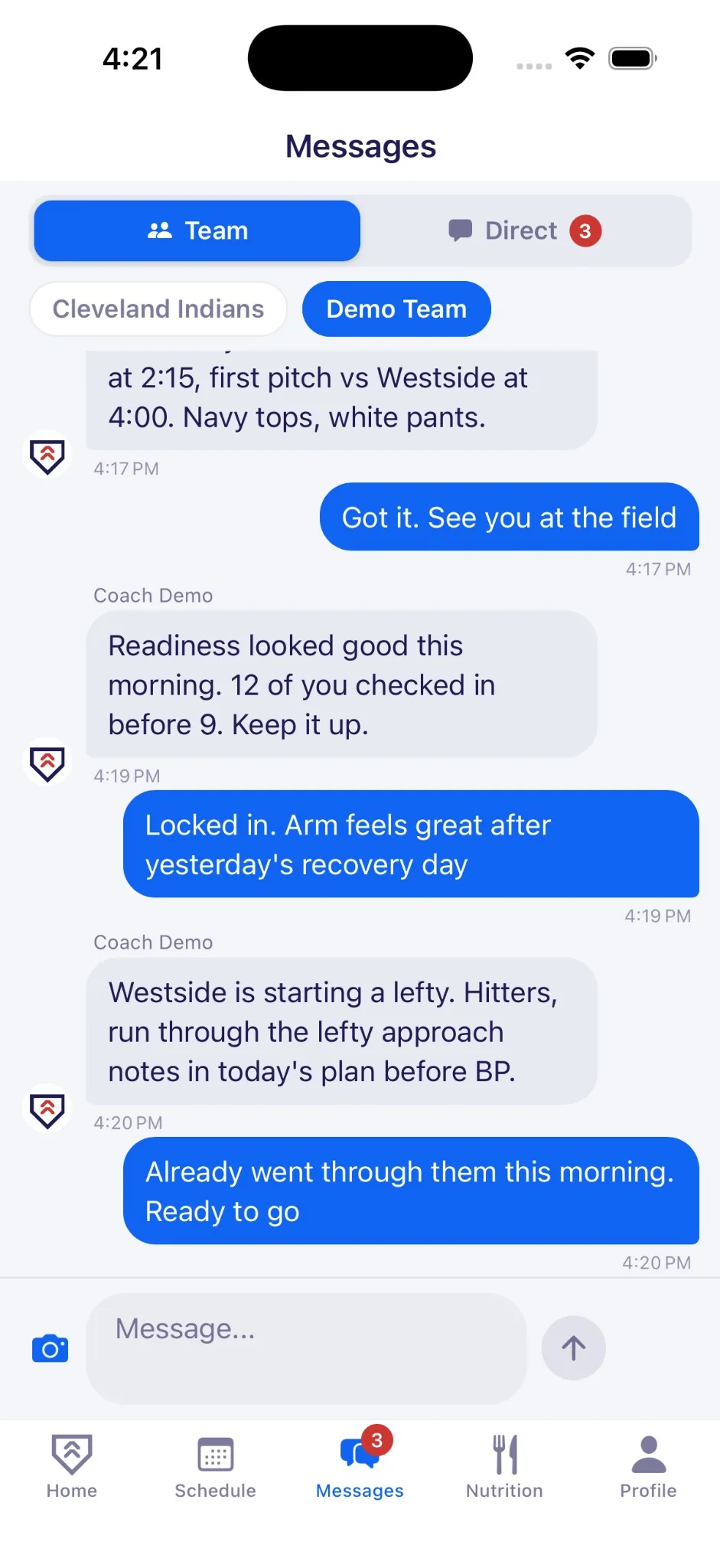
- Team chat and announcements in the same app. Players join with a six-character team code.
Built for players as young as 13.
What parents and athletic directors should know about messaging, food, privacy and the AI.
Messaging built around SafeSport’s MAAPP
MAAPP is the U.S. Center for SafeSport’s Minor Athlete Abuse Prevention Policies. On high school, club and youth teams, messaging in the app follows its rules.
- No private messages with players. Not from coaches, not from anyone.
- Announcements the whole team sees. Only coaches post, and every coach and player on the team can read them.
- Only the team can reach a player. Nobody outside the team can message them.
- Report and block on every message. Deleted messages are kept for review.
MAAPP requires a second adult, or every player’s parent, on team messages to minor athletes. Add an assistant coach to your team in the app so every announcement includes one. Your school or club remains responsible for its own MAAPP policy. TheBigs.AI is not affiliated with the U.S. Center for SafeSport.
On any message, by any player or coach. Deleted messages are kept for review.
Players under 18 add a parent or guardian and confirm consent before they start.
Whole foods and everyday portions. No brand names and no weight-cutting talk for players under 18.
There are no ads in the app, and nothing follows your player across other apps or sites.
It picks from a fixed library, inside the limits set by age, position and readiness.
Every AI screen in the app says so.
Ask about today's plan.
The AI coach already knows your day. Ask how to do a drill, why it's on your plan or what your score means. Send a photo if words aren't enough.
- Knows every block on today's plan, with its steps and cue.
- Answers about your drills, your readiness and your score.
- Ten questions per session, so it stays focused on training.
How do I do the cone angle break drill?
AI-generated guidance only, not medical or professional advice.
Separate from the pack.
For athletes
The edge is consistency. A complete daily plan with skill work, strength and speed, and mindset. Log readiness, track effort and build a score that rewards showing up.
Explore athlete featuresFor coaches
The edge is alignment. See roster readiness, effort and completion in seconds. Spot trends early and assign sessions that fit the week. Less admin, more coaching.
Explore coach toolsBefore you download.
Who is it for?
Baseball players 13 and up: high school, travel ball and college. Plans are tuned for three age groups: 13 to 15, 16 and 17, and 18+.
Can I use it during the season?
Yes. Plans follow preseason, in-season and offseason, and get lighter around games. On a team, your coach sets the season phase.
Does it replace my coach?
No. It covers the daily work between practices. Coaches see that work, set the schedule and assign team sessions.
Does it follow SafeSport’s MAAPP?
Messaging on high school, club and youth teams is built around it: no private messages with players, coach announcements that every coach and player on the team can see, and report and block on every message. MAAPP also requires a second adult, or every player’s parent, on team messages to minor athletes, so add an assistant coach to your team. Your school or club remains responsible for its own MAAPP policy. How messaging works
What does it cost?
The annual plan starts with a free two-week trial. See plans for athletes, families and teams
Is it on Android?
iPhone first. Android is on the way.
Is this medical advice?
No. Plans and answers are training guidance. Talk to a doctor about pain, injuries or health conditions.
Be first on the field.
TheBigs.AI launches on iPhone soon. Leave your email and we'll tell you the day it's live.